FLUX
Endpoint for NVIDIA CCluster
This guide helps you deploy a FLUX endpoint on NVIDIA CCluster using a pre-built Docker image or by building and pushing your own.
Docker image
- Use the pre-built image: vagias/base-api:v1.0
- Alternatively, build your own image locally and push it to Docker Hub.
Building the image
- For macOS
To build and push the image using buildx (for multi-platform support):
docker buildx build --platform linux/amd64,linux/arm64 -t {docker-username}/flux-centml:v1.0 --push .
- For Linux
To build and push the image:
docker build -t {docker-username}/flux-centml:v1.0 --push .
Deploying on NVIDIA CCluster
- Log in to NVIDIA CCluster Access the NVIDIA CCluster dashboard using the console URL provided to your organization.
- Navigate to General Inference From the Home page, go to General Inference to set up the deployment.
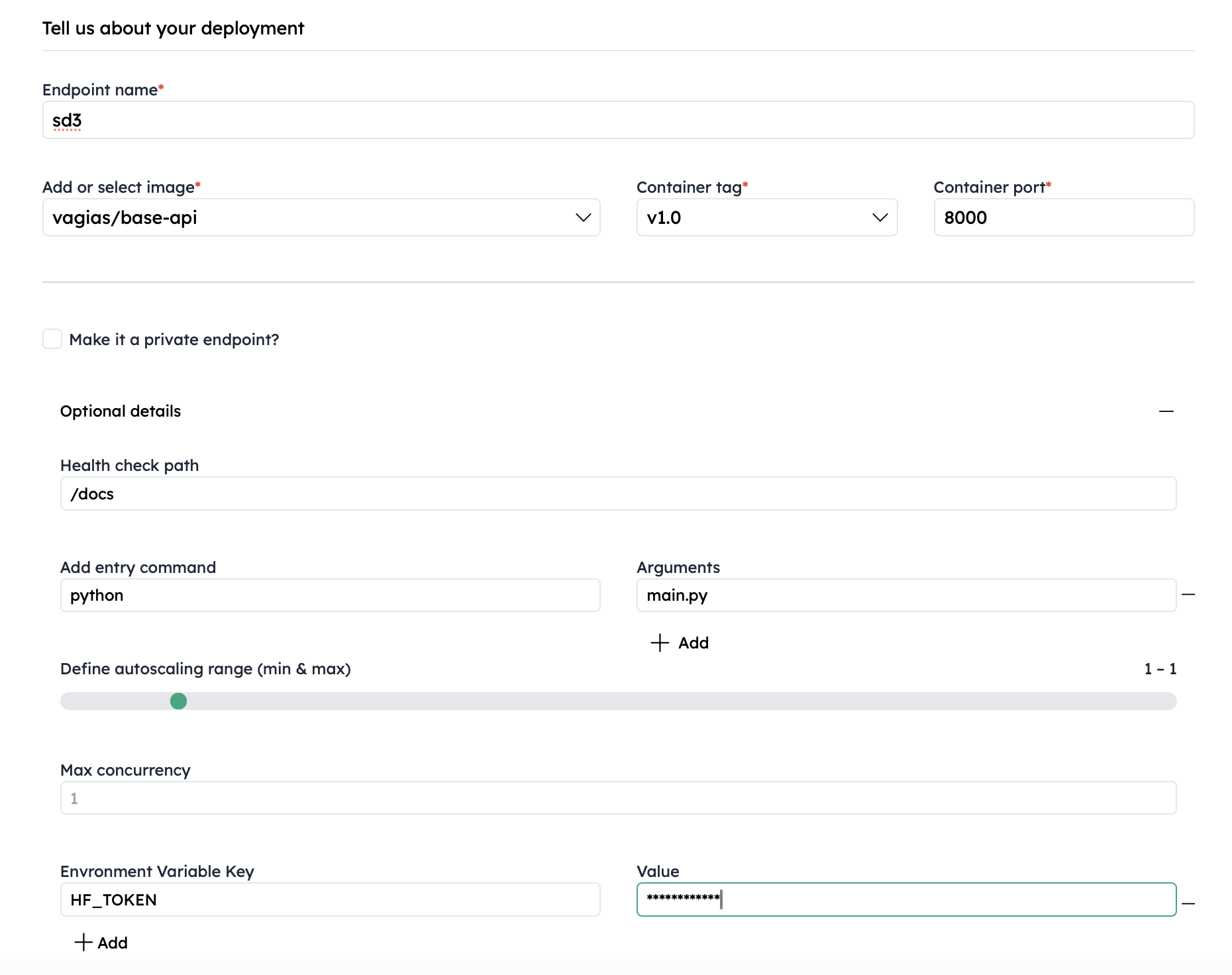
- Fill in Deployment Details Provide the necessary details, including:
- Docker image name
username/base-api # replace with your image
- Tag (e.g., v1.0)
v1.0
- Port number
8000
- Health check path
/docs
- Entry point arguments
python main.py
- Your HF_TOKEN (Hugging Face API token) for authentication
Example:
- Select Resource Size Choose the resource size based on your image generation speed requirements:
- Small
- Medium
- Large
- Click Deploy
After deployment, you will receive an endpoint URL.
Interacting with the Endpoint
Once deployed, you can interact with the endpoint via:
- curl commands
- The included apps and examples
Use the provided URL to send requests and generate images with FLUX.
This version adds clarity and a more polished flow. Let me know if you'd like to include more details or examples for interacting with the endpoint!